Early, but working

Vivid Gradience

Change the look of Adwaita, with ease.

A maintained fork of Gradience, brought back to the current GNOME runtime. Recolour every part of the Adwaita palette, start from one of 85 ready-made colour schemes, and apply it to Libadwaita, GTK 4 and GTK 3 apps — without hand-editing a single config file.

Install (auto-updating) Get Set Up — the first-run guide View on GitHub Findings — notes for theme developers

Signed Flatpak repo — new releases arrive with flatpak update. Prefer a one-off file? Download the .flatpak bundle.

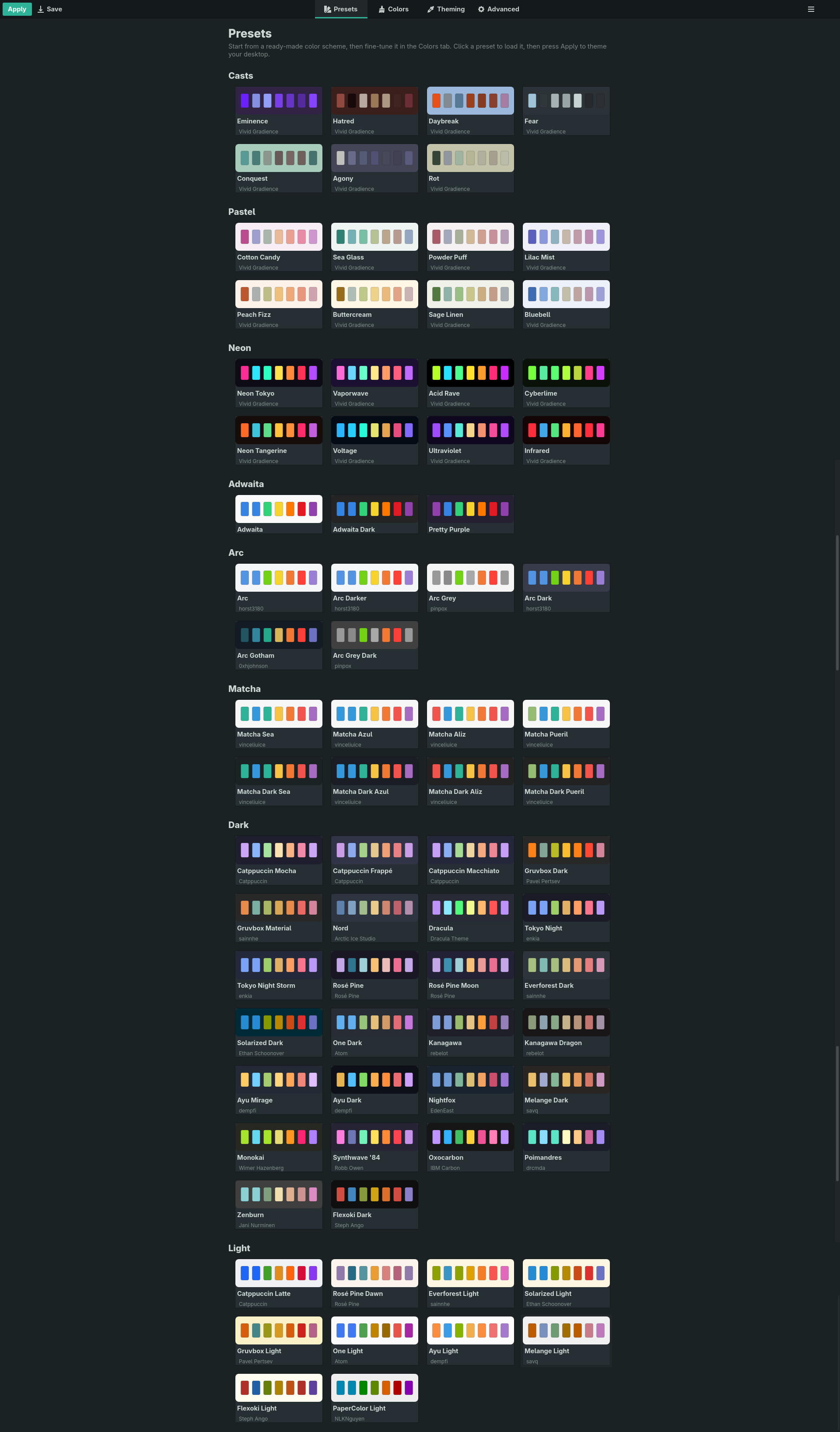
The Presets gallery, showing colour-scheme cards grouped into family sections — Casts, Pastel, Neon, Adwaita, Arc, Matcha, Dark and Light

Why this fork exists

The original was archived in June 2024. This picks it back up.

Current runtime

Builds and runs on GNOME 50, and a weekly job bumps the manifest and build-tests it before the change lands.

A modern interface

Rebuilt on current libadwaita — ToolbarView, adaptive Breakpoint layout, boxed lists, and the newer row widgets.

Themes you'd actually use

85 colour schemes built in — Catppuccin, Gruvbox, Nord, Dracula, Rosé Pine, Everforest, Solarized, Tokyo Night and the full Arc and Matcha families, plus three original sets: Pastel, Neon and Casts.

Features

Everything from upstream, plus the parts it never got round to.

A visual preset gallery

Every scheme is a card tinted with its own background colour, showing its character hues. Click one to load it.

Searchable colour editing

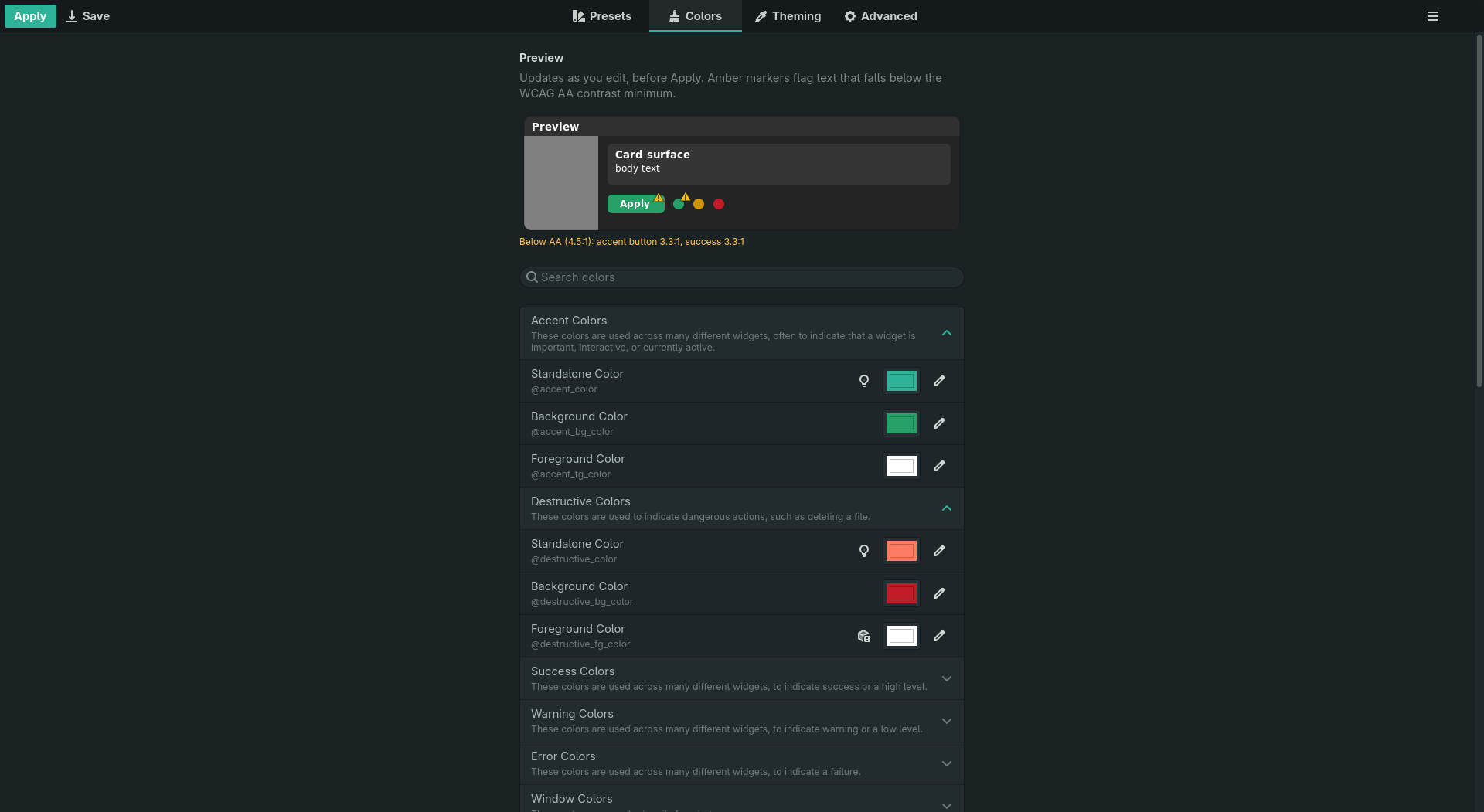
All 46 named Adwaita colours, in collapsible categories with a search box — picker or hex, whichever you prefer.

A live preview, with contrast warnings

A schematic window at the top of the Colors tab redraws as you edit, before you apply anything — and marks any text that falls below the WCAG AA contrast minimum, so an unreadable pairing is visible immediately.

Contrast-checked schemes

Every bundled scheme is scored against WCAG AA. All but one clear it — Solarized Light is left as its authors intended, since its low contrast is the scheme rather than a mistake.

A palette from your wallpaper

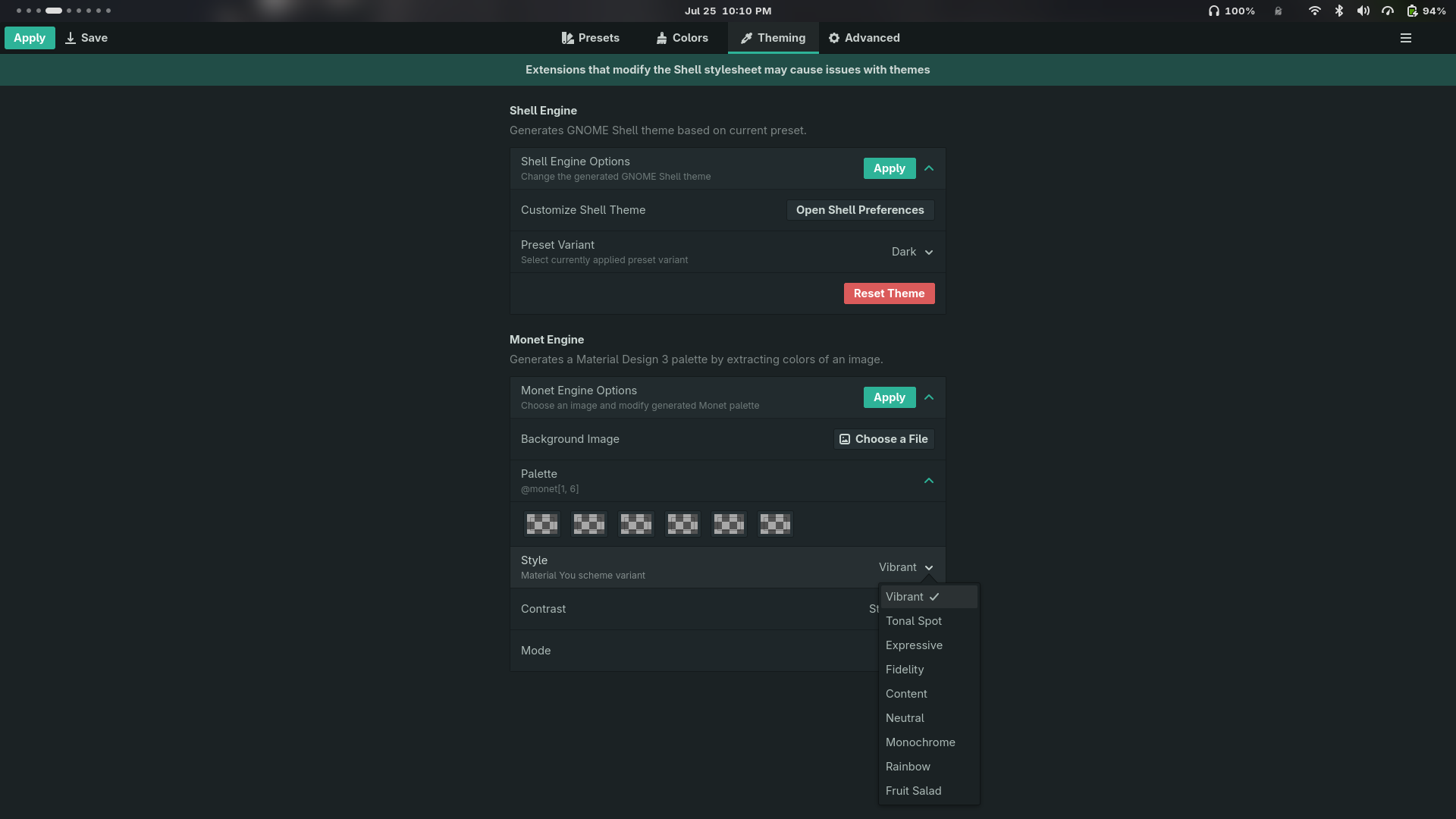
The Monet engine turns any image into a full Material You scheme — choose from nine variants (Vibrant, Tonal Spot, Expressive…) and a contrast level.

GNOME Shell theming, applied live

Generate a matching Shell theme from the current preset — the panel, overview, Super+Tab switcher and quick settings repaint on a running session. No logging out. It recolours the stylesheet your installed Shell already ships, so it follows whatever GNOME you run rather than a list of known versions.

Firefox, themed to match

The Firefox engine writes the preset into the profiles you choose, through firefox-gnome-theme — toolbar, tabs, menus and the Library, for Firefox, LibreWolf and Waterfox alike. Each profile gets its own switch, and one you have already themed yourself is switched off on sight rather than painted over. No profile has the theme? The app offers to install a tested release for you, and removes it as cleanly. The theme's own nineteen optional features — OLED black, tabs as headerbar, system icons and the rest — are switches here too, instead of lines you hand-edit into a file the app also writes.

Icons that follow the scheme

The icon engine recolours Adwaita's blue icons — folders, drives, mimetypes — through the preset's own palette, chosen by measured contrast so the folder never vanishes against its background. One click applies it, one removes it.

Desktop settings without Tweaks

GTK 3 theme, cursor, dark style and window buttons, right in the Theming tab — with a warning Tweaks never had, when a chosen GTK 3 theme is one your Flatpak apps cannot resolve.

Your old theme survives

Apply recognises a stylesheet it didn't write and offers to move it into your theme library instead of overwriting it — and every Apply is snapshotted, so Restore means restore.

Pick colours from the preset itself

Every colour button opens the preset's own palette first — nine ramps, named on hover — with the system dialog one click behind it.

Custom CSS

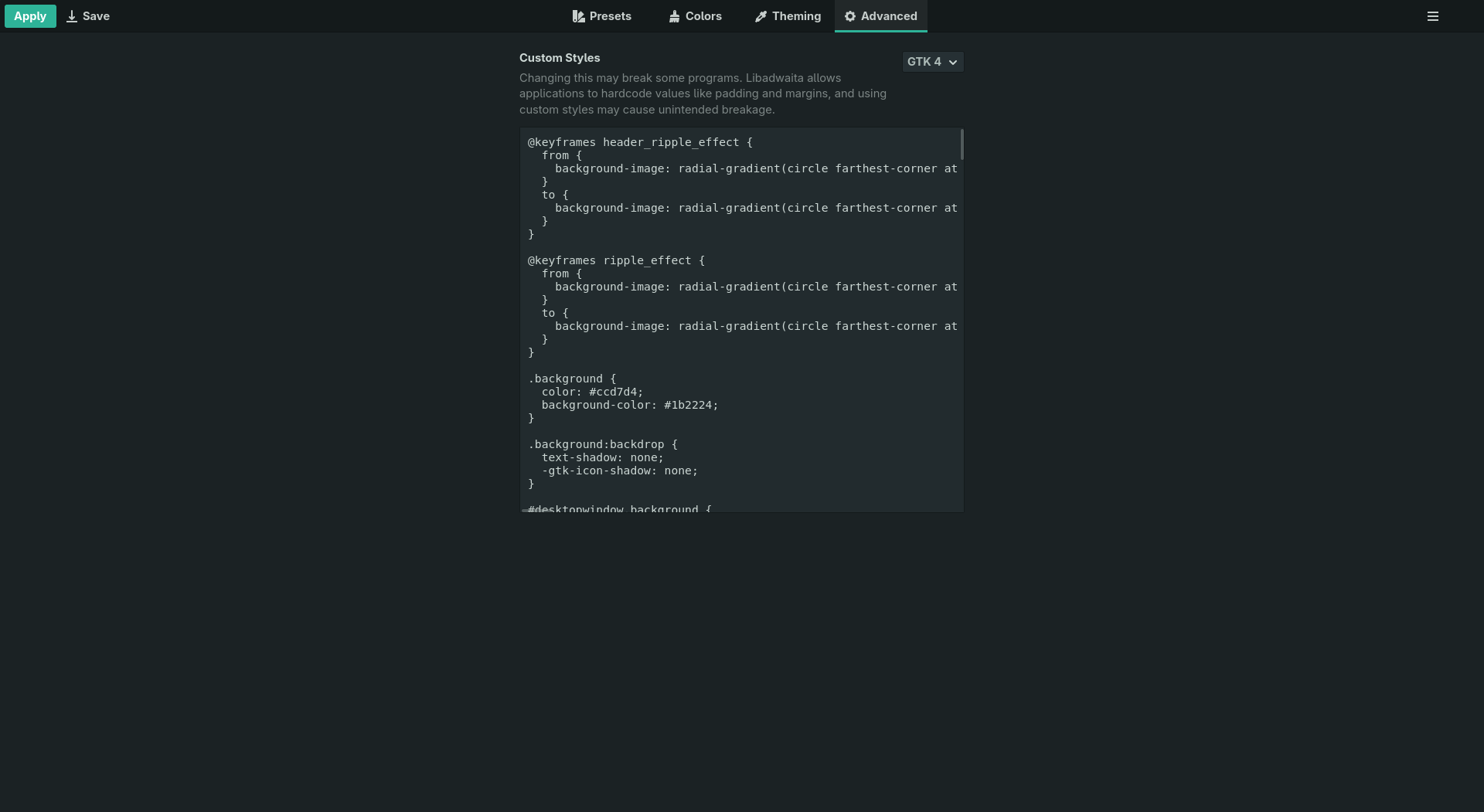
An escape hatch for anything the colour variables can't express, per toolkit.

Adaptive down to mobile

The window reflows to narrow widths, moving the view switcher to a bottom bar.

A look around

Four tabs: pick a scheme, tune it, apply it, then go further.

The Colors tab with a search field and collapsible categories of named Adwaita colours
Colors — every named colour, searchable and grouped.
The Theming tab showing the Shell Engine and Monet Engine option groups
Theming — the Shell, Monet, Firefox and icon engines, and the Desktop settings.
The Advanced tab with a custom CSS editor for GTK 4
Advanced — custom CSS and your theme library.
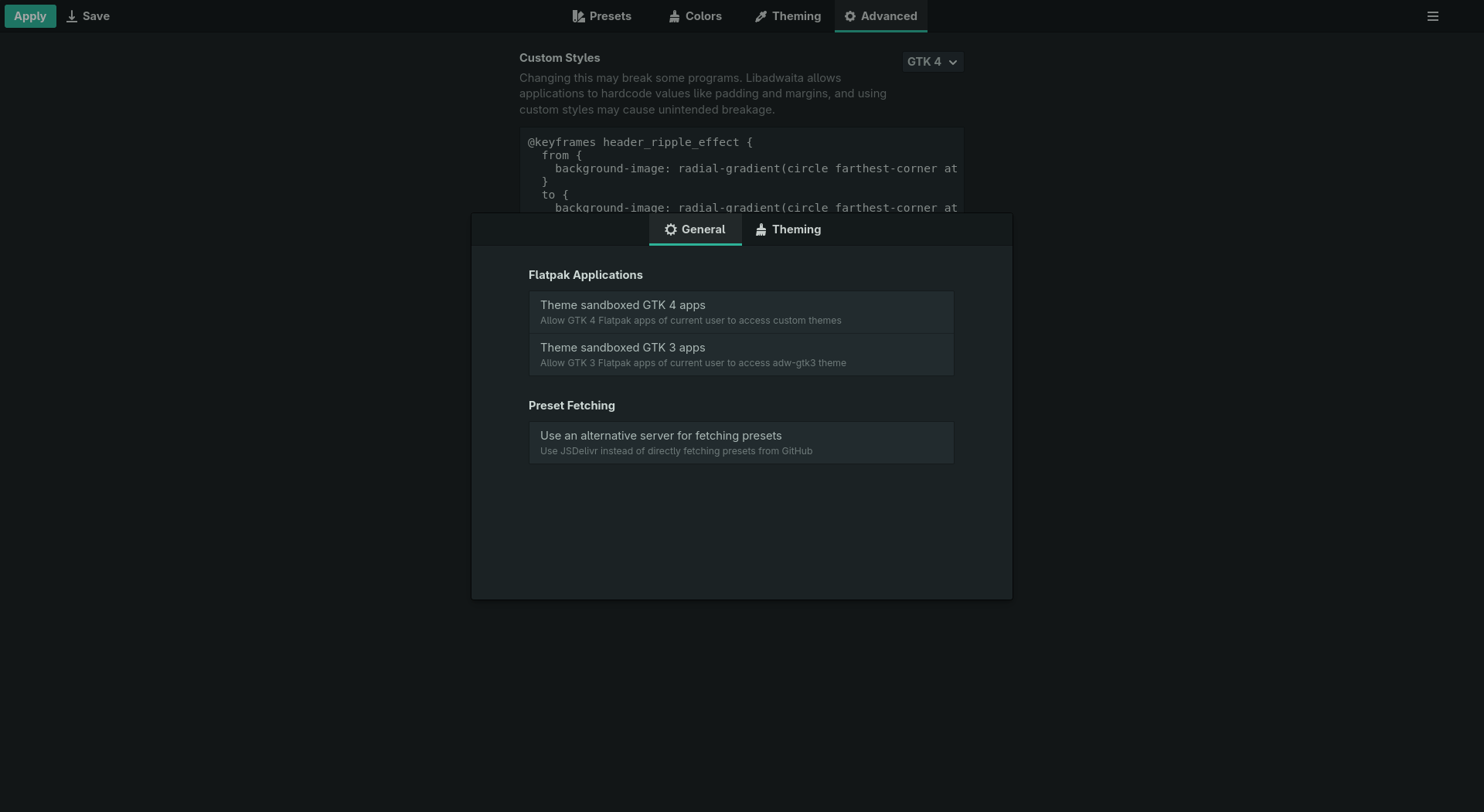
The Preferences dialog showing Flatpak application theming options
Preferences — Flatpak permissions and preset fetching.

Install

From the signed Flatpak repo — flatpak update keeps it current.

flatpak install --user https://superuser-miguel.github.io/Vivid_Gradience-repo/VividGradience.flatpakref
flatpak run io.github.superuser_miguel.VividGradience

Prefer a one-off file? A single-file .flatpak bundle is on GitHub Releases too, but it carries no auto-update — a newer release means reinstalling it. Vivid Gradience is not on Flathub and is distributed independently.

Theming setup

Native apps need nothing. Sandboxed ones need one permission. The full walkthrough is on the Get Set Up page.

Libadwaita & GTK 4 Flatpaks

Grant access to the GTK 4 config: sudo flatpak override --filesystem=xdg-config/gtk-4.0, or the same entry in Flatseal.

GTK 3 apps

Install adw-gtk3, then grant xdg-config/gtk-3.0 the same way. And install the Flatpak theme extension — flatpak install flathub org.gtk.Gtk3theme.adw-gtk3. Without it your host apps get adw-gtk3 and every Flatpak silently falls back to stock Adwaita, because a sandbox cannot see /usr/share/themes. Why.

GNOME Shell

Install the User Themes extension, then use the Shell engine in the Theming tab. It repaints your running session — no logout.

Nothing here needs you to log out. Named colours are read once when an application starts, so the app you are looking at needs reopening — but the panel, overview, Super+Tab switcher and quick settings all update immediately. The full table is on the findings page.

Roadmap

Honest about what's next. (The preset gallery, the modernised UI, the five theme engines, the theme library and signed auto-updating installs already shipped.)